Feed the Cups Local Co-Op and Multiplayer Guide
How 1 to 4 player limits, local shared-screen co-op, Remote Play Together, online lobbies, scaling formulas, and Mac-Windows cross-play work in Feed the Cups.
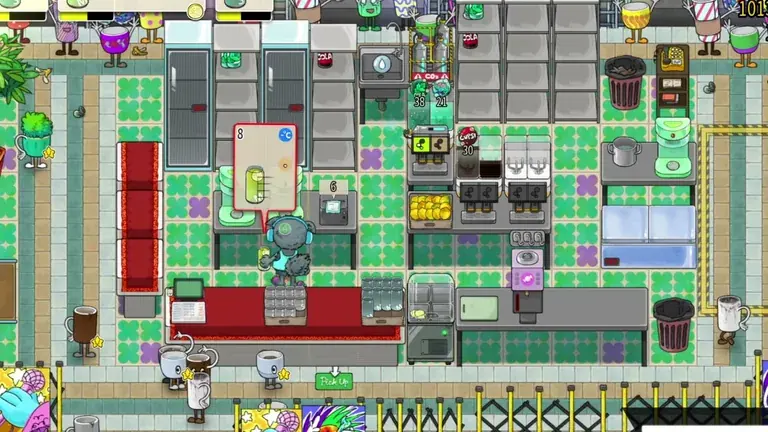
Feed the Cups supports 1 player solo, 2 players in local shared-screen co-op or Remote Play Together on Steam, and 2 to 4 players in online co-op with friends. Every party size shares the same drink-shop loop, while card scaling multipliers, reputation gain, teammate rescue rules, and team-wide challenge penalties shift how a shift plays out.
Player Limits and Co-Op Modes
The Steam store listing categorizes Feed the Cups under single-player, multi-player, co-op, Online Co-op, Shared/Split Screen Co-op, and Remote Play Together. A lobby holds at most 4 players online and 2 players on a single shared screen.
| Mode | Players | Access | Notes |
|---|---|---|---|
| Solo | 1 | Single-player start | Single-player progression with full experience gain |
| Local Co-op | 2 | Room bed | Shared screen; second player earns no experience |
| Remote Play Together | 2 | Steam stream | Streams local two-player sessions to a friend |
| Online Co-op | 2 to 4 | Home room phone | Separate saves; supports Mac and Windows cross-play |
Solo players run the same shop layouts under single-player scaling, covered in detail in the solo guide. Steam store categories do not list native LAN co-op at this time, though the launch update rebuilt the multiplayer netcode to prepare for future ports and LAN play.
Local Co-Op Setup and Remote Play Together
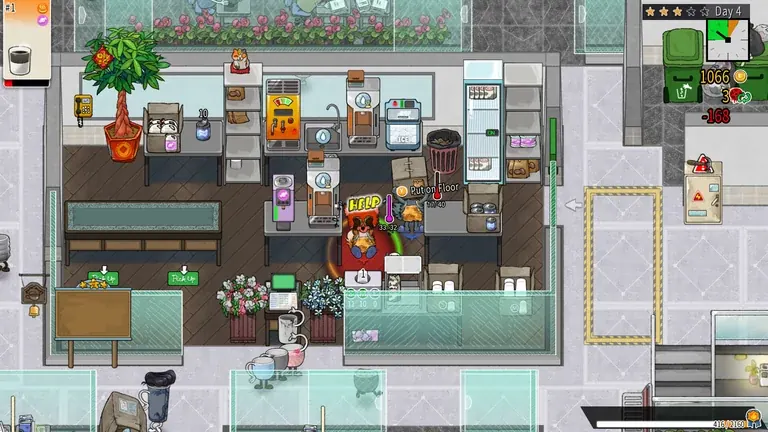
Local co-op starts directly inside the home by interacting with the bedroom bed, which opens the local two-player setup menu. When two players share one keyboard on the same screen, pressing num lock enables the numeric keypad for the second player. The store page also lists full controller support. For gamepad bindings and handheld controls, see the controller and handheld guide.
Because local two-player mode runs on top of single-player logic without an independent profile, Player 2 cannot save progress or earn character experience points. For the same architectural reason, the game blocks mixing local shared-screen co-op with online co-op in one session. Players who want to share a local two-player screen over the internet can use Remote Play Together on Steam instead.
Online Lobbies, Version Matching, and Co-Op Unlocks
Online co-op supports 2 to 4 players through the home networking interface, where players invite Steam friends or dial a full 18-digit room phone number. During an online session, host settings govern item and device interaction priority, and home purchases stay locked while a friend is visiting your house. If a teammate fails to load into a stage, the remaining group can wait to reconnect, remove unconnected players, or leave the room and return home.
Online lobbies require every participant to run the same game build. The free demo and the paid full game cannot join each other online: demo players connect only with other demo lobbies, and full-game owners connect only with full-game lobbies. Whenever a version mismatch notice appears, checking that everyone launched the same product and updated through Steam resolves the block.
Friends can unlock stages and difficulty tiers together online as long as each teammate has cleared the prerequisite stage at minimum difficulty and plays the run together from day one through completion. Repeating higher difficulties unlocks personal difficulty tiers one by one and grants each teammate their corresponding first-clear rewards.
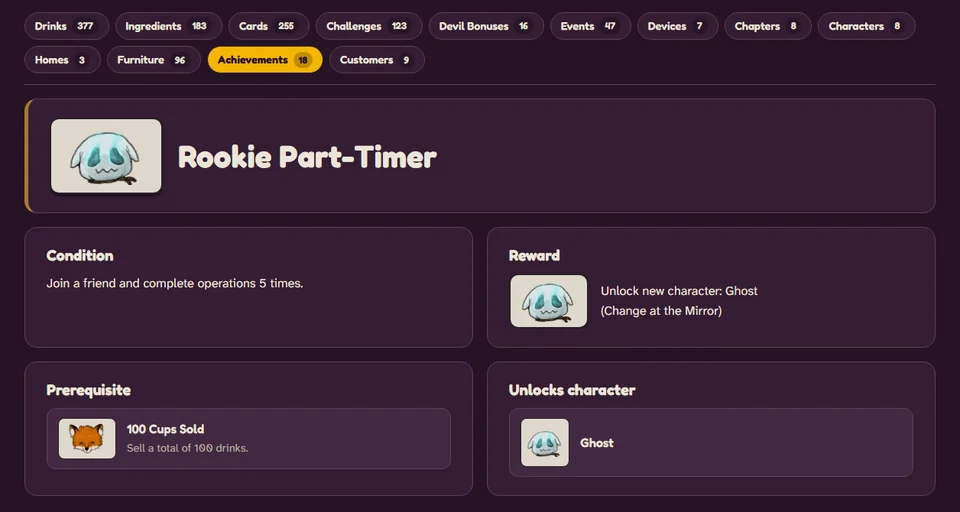
Online payouts no longer split earnings through the old partner salary rule removed in the 0.8 update, so teammates keep full payouts alongside player-scaled card values. In multiplayer Subway Station sessions, both the host and secondary players receive rewards, and clearing the Subway no longer blocks regular-stage first-clear rewards. Online play also unlocks the playable character  Ghost through the
 Rookie Part-Timer achievement, which requires joining a friend and completing operations 5 times.
Mac and Windows Cross-Play
Feed the Cups runs on both Windows and Mac, and developer announcements enable cross-platform online play between Mac and Windows lobbies whenever both clients share an identical version number. Steam Cloud also synchronizes saves across Windows and Mac installs, though developers recommended backing up saves manually and noted during testing that the Mac build was more prone to crashes than Windows. For console availability questions and system details, see the platforms and cross-play guide.
Player and Day Scaling Formulas
- Direct player scaling multiplies the listed base value by the current number of players (1 through 4), raising the effect linearly as teammates join.
- Inverse player scaling multiplies the base value by 4 divided by the player count, giving a 1-player run four times the base figure while a 4-player lobby receives the unmodified base value.
- Day scaling multiplies the base value by the current day number.
- Combined player and day scaling multiplies the base value by both player count and current day.
- Stepped group day scaling multiplies the base value by a descending factor of 4, 3, 2, or 1 according to group size and then by the current day.
Since the 0.8 update, cards that adjust by player count or day show their recalculated totals directly in-game rather than forcing players to compute them manually. Reputation gain also adjusts by player count so smaller parties earn higher reputation.
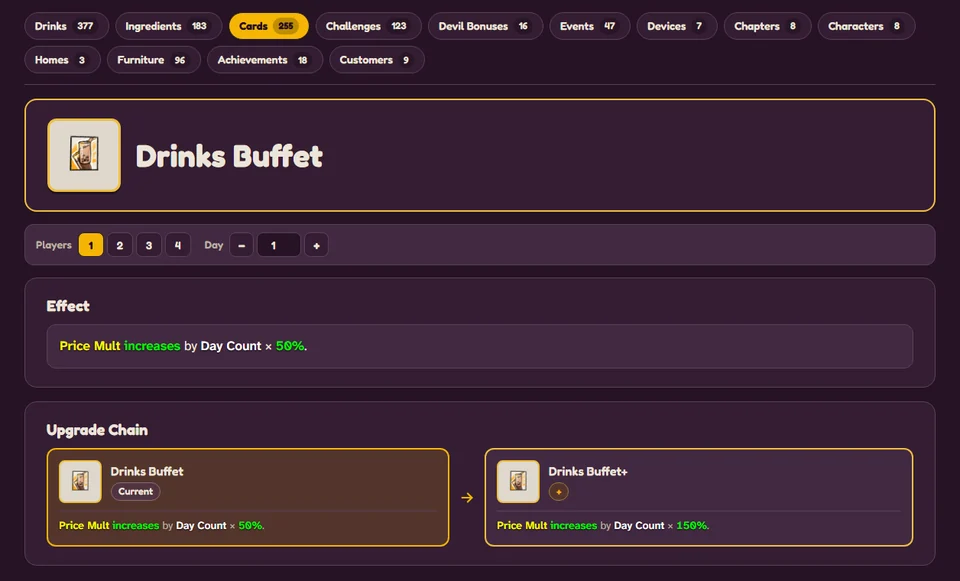
Several cards also scale strictly with the current day count without changing by player count.  Drinks Buffet raises the drink price multiplier by 50% each day (150% with Drinks Buffet+), while
 Tip Napkins raises the tip multiplier by 75% each day (225% with Tip Napkins+). On a just-in-time serve,
 Hourglass boosts the price multiplier by 75% each day (225% with Hourglass+).
Cards and Challenges by Party Size
Across the 255 cards in the cards database, direct player scaling appears far more often than inverse scaling. Cards using direct player scaling grow stronger in larger co-op groups because their caps, reputation grants, or multiplier increments multiply by the party size:
 Patience Challenge caps its late-order extra revenue at a base value of 50 (Patience Challenge+ raises that base cap to 150) and scales upward with player count.
 Nameplate grants a base 5 reputation per order taken (15 on Nameplate+), and
 Bunny Ears grants a base 100 reputation per hour opened early (300 on Bunny Ears+), both multiplying with players.
 Jackpot Prize rolls a 25% chance on lid opening (75% on Jackpot Prize+) for extra revenue whose cap of 20 times base price multiplies with player count.
 Pocket Money raises tip multiplier by combo count times a base 2% (6% on Pocket Money+), while
 Companion Doll scales its base 25% stress-reduction chance with players (removing 1 stress, or 3 on Companion Doll+).
 Freezing Combo and
 Power Link both raise maximum combo by 100 and trigger whenever any staff member meets their stress condition, with Freezing Combo scaling its base 5% per combo tip multiplier with player count.
Only two base-and-upgrade card pairs use inverse player scaling (4 divided by party size):  Blood Pressure Pill (and Blood Pressure Pill+), which grants extra revenue capped at a base 50% (150% upgraded) when any staff member loses stress, and
 Sports Watch (and Sports Watch+), which pays a base 5 extra revenue every 30 steps moved before overtime (every 10 steps upgraded). Even though their per-trigger figure shrinks in a 4-player shop, both cards watch every staff member on the floor rather than a single server. Browse full payout synergies and upgrade tiers in the best cards and builds guide.
By contrast, none of the 123 challenges in the challenges database apply numeric player-count scaling multipliers to their values. Instead, party size changes the practical risk of Cost challenges that target all staff or watch any staff member:
 Smelly Trash adds 1 stress to all staff every 10 minutes while a trash can stays full (2 stress on Smelly Trash+), punishing uncoordinated teams across every player at once.
 Deadly Ringtone adds 2 stress to all staff on opening early (4 on Deadly Ringtone+), and
 OCD adds 1 stress to all staff on a bad review (2 on a neutral or bad review for OCD+).
 Vanished cuts final payment by 5% whenever any staff member has zero stress (10% on Vanished+ and 20% on Vanished++), which is easier to trigger by accident in a four-player shift if one teammate handles low-stress tasks.
Teammate Rescue, Stress Sharing, and Co-Op Characters
When a teammate becomes overwhelmed in multiplayer, other players can stand right next to them to trigger an automatic rescue. Rescue completes faster as more teammates gather around the overwhelmed worker, and once the rescue finishes, the stress total splits evenly among the players involved. Two pieces of shop-wide home furniture speed up this rescue action:  First-Aid Kit costs 30,000 Cash and
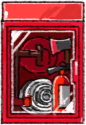 Firefighting Gear costs 50,000 Cash, both granting slightly faster teammate help.

All 8 playable characters in the characters database share a base 25 maximum stress, but two have direct multiplayer interactions in their skill kits. Ghost moves at speed 7.5 with mass 1 and has zero collision with teammates and regular customers, letting a runner cross narrow kitchen aisles without blocking allies.  Panda moves at speed 8 with mass 3 and can press the skill key to raise nearby customers’ total multiplier by 10%, though the effect is reduced in multiplayer.
In 2- to 4-player shifts, splitting specialized roles across the rest of the roster reduces walking distance and station bottlenecks.  Bear carries heavy items at speed 7 and mass 3 without a carry-speed penalty,
 Wolf dashes across delivery runs at speed 9 and mass 2 with a 2.5-second sprint cooldown,
 Fox works prep stations at speed 8 without leaving stains or water,
 Beaver takes orders instantly at speed 8,
 Slime moves at speed 8 while clearing stains and water, and
 Crocodile handles repairs and bad-review mitigation at speed 8. Compare every character’s full stats and unlock requirements in the playable characters guide.
In This Guide
Sources
- Feed the Cups game files (Steam build 25975646 (demo 2400400, extracted 2026-11-21))
- Steam Store Page — Feed the Cups (App 2336220)https://store.steampowered.com/app/2336220/
- Steam Developer Announcements — Feed the Cups (App 2336220)https://store.steampowered.com/news/app/2336220/
- Steam store screenshots and developer announcements (Steam App 2336220)
- Developer gameplay footage