Feed the Cups Save File Location, Autosaves, and Steam Cloud
Find your Feed the Cups save folder on Windows and macOS, open it from the main menu, restore rotating autosaves and daily backups, and manage Steam Cloud and Early Access carryover.
Part of Feed the Cups Guide: Shop Day, Rent, Stars, Combos, and Residential Area.
Where Local Saves Live and How to Back Them Up
On Windows, your local Feed the Cups save lives at %APPDATA%\Feed The Cups\<SteamID64>\saves\default.sav inside the %APPDATA%\Feed The Cups\ directory, where the numbered subfolder matches your Steam user ID. On macOS, the base save directory sits at ~/Library/Application Support/Feed The Cups/, storing a signed-in Steam player’s profile inside that Steam user ID folder at saves/default.sav. When you launch without being signed in to Steam, the save falls back from your Steam user ID folder to the default folder (default/saves/default.sav inside that save directory). Next to default.sav inside saves/, the game keeps 10 rotating backups and 30 daily backups, while stage records sit separately in saves/records/.
You can also open that save directory from inside the game by clicking the “Saves” button along the right edge of the main menu, which launches Finder on macOS or the system file browser on Windows. From the same main menu, the Load Save screen lets you restore an earlier backup. If you are still learning shift routines, rent, and first unlocks, head up to our beginner’s guide.
- Back up your numbered Steam ID folder manually before joining a beta branch, because test builds can damage save files and switching back to an older version can cause data loss and corruption.
- Stay signed into Steam before launching, since running offline blocks Steam saves from loading, triggers an unread-save notice, and restricts access to the demo version until you sign in and restart.
- Keep modifiers out of main saves, as the in-game leaderboard notice warns that modifiers risk corrupting your save file and turning off leaderboard uploads.
Autosaves, Daily Backups, and Unsaved Modes
The full-release update lowered the rotating autosave limit from 50 down to 10 while adding daily backups that preserve saves across up to 30 different dates. From the main menu, open Load Save to select an earlier entry by File Name with load times shown in your local time zone, and loading a save repairs the demon head counter automatically. To remove an unwanted entry, use the Delete button and accept the delete save file prompt.
- Quitting to the main menu during an active run on a no-save difficulty gives up the shop and discards your progress without saving.
- In Local Co-op, the second player’s character cannot save progress or earn EXP.
- Buying a
 Contract Rack for 40,000 Cash unlocks Performance Archive, saving a Business Report at the end of each business day into
saves/records/so you can keep, browse, and remove past stage results separately from your profile backup slots insaves/.

Steam Cloud Sync and Outfits
The full Steam release supports Steam Cloud and syncs cloud saves across Windows and Mac. The cross-platform save notes advise backing up your saves first, and an earlier developer FAQ flags a rollback issue when using cloud saves across different computers. For complete platform availability and cross-play details, see our platforms and crossplay guide.
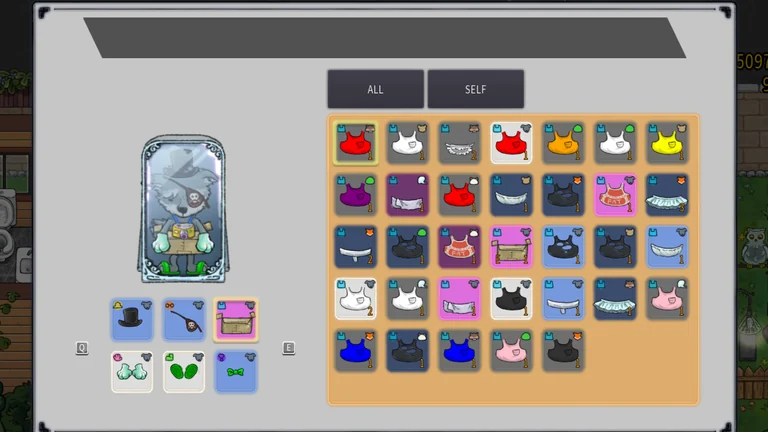
Character outfits run through the Steam Inventory Service and are not kept inside your local save files. Outfit letters arrive from clearing stages and accumulating online playtime—each full hour online grants a letter you can open at your home mailbox to receive a random outfit.

Demo and Early Access Save Migration
Unlike the full game, the free demo store page does not include Steam Cloud in its listed Steam categories. Earlier demo and beta saves were cleared during the February 1 save-system overhaul, while demo saves created after that clearance remain compatible with the full release.
Early Access owners receive the full version automatically with no extra purchase, and older saves carry your Cash forward cleanly. See our demo vs. full game guide for what stays locked in the demo and opens up in the full version.
In This Guide
Sources
- Feed the Cups game files (Steam build 25975646 (demo 2400400, extracted 2026-11-21))
- Steam Store Page — Feed the Cups (App 2336220)https://store.steampowered.com/app/2336220/
- Steam Store Page — Feed the Cups Demo (App 2400400)https://store.steampowered.com/app/2400400/
- Steam Developer Announcements — Feed the Cups (App 2336220)https://store.steampowered.com/news/app/2336220/
- Steam store screenshots and developer announcements (Steam App 2336220)